How do I enable 2-step verification (MFA/TOTP)?
You can add an authenticator app to your account from the security settings.
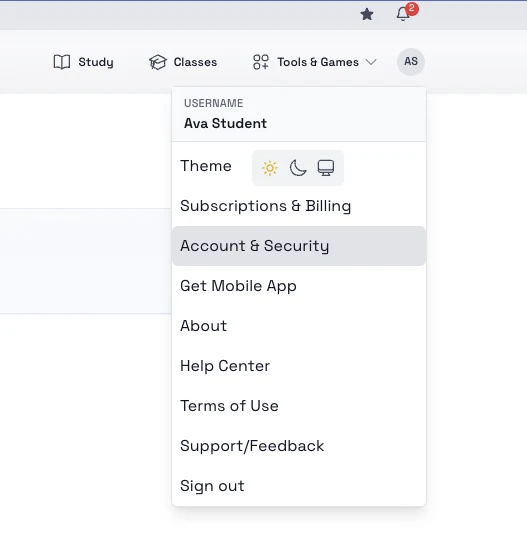
Steps
- Open the top-right account menu.
- Select Account & Security.
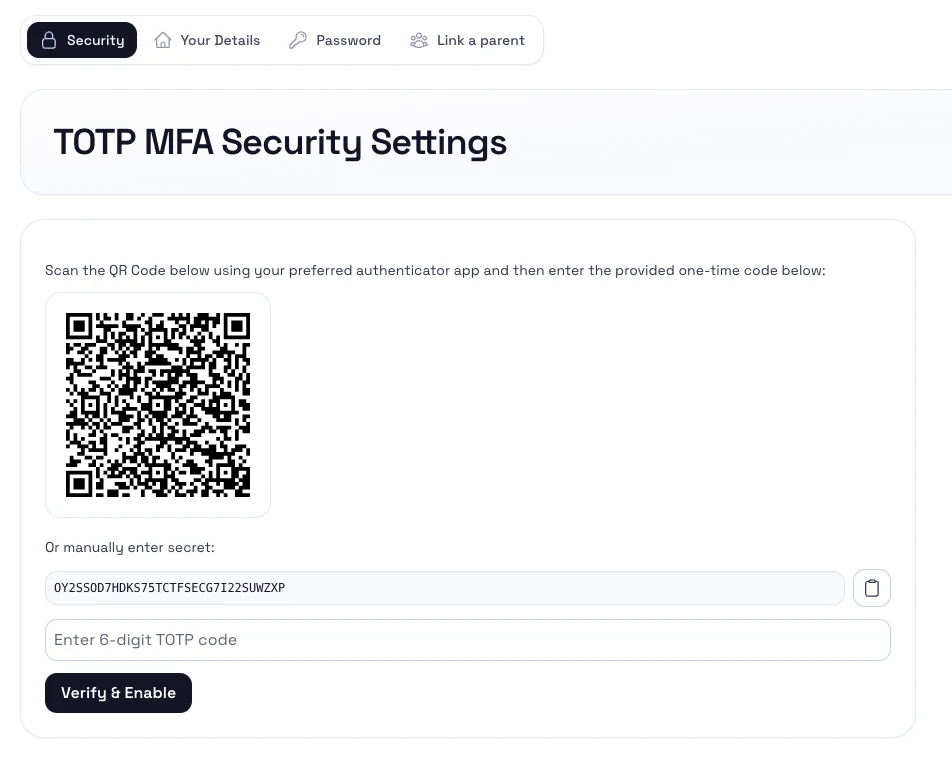
- Start the 2-step verification or authenticator setup flow.
- Scan the QR code with your authenticator app, or copy the secret key manually.
- Enter the one-time code from the app to finish enrollment.
Notes
- Save any recovery details shown during setup.
- Use a trusted authenticator app and avoid sharing the secret key.
- After enrollment, sign-in may require both your password and the app-generated code.