How do I reset my password?
Use this flow when you want to change your current password from inside the app.
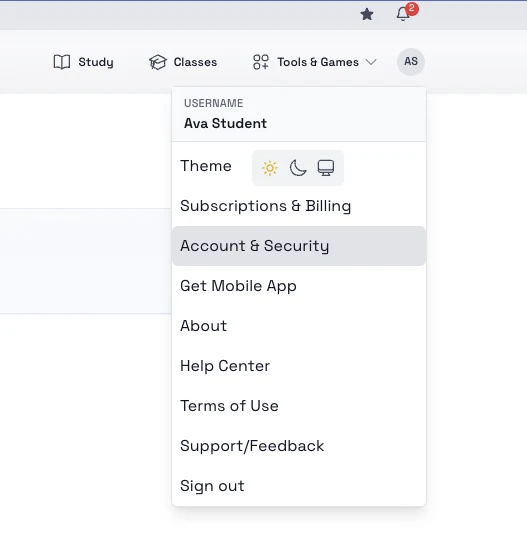
Steps
- Open the top-right account menu.
- Select Account & Security.
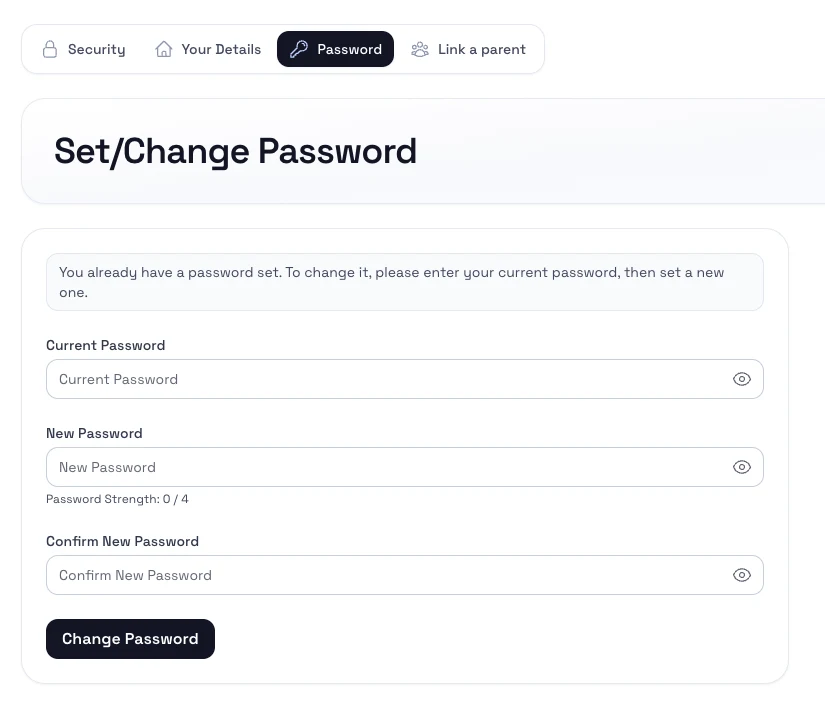
- Open the Password section.
- Enter the new password and confirm it.
- Save the change.
Notes
- Pick a password you do not reuse on other sites.
- If you signed in with Google and have never set a password before, the same page is used to create one.