Follow topics and timeline
Use Topics when you want to move through your study plan item by item, and use Timeline when you want to see how that work is spread across time.
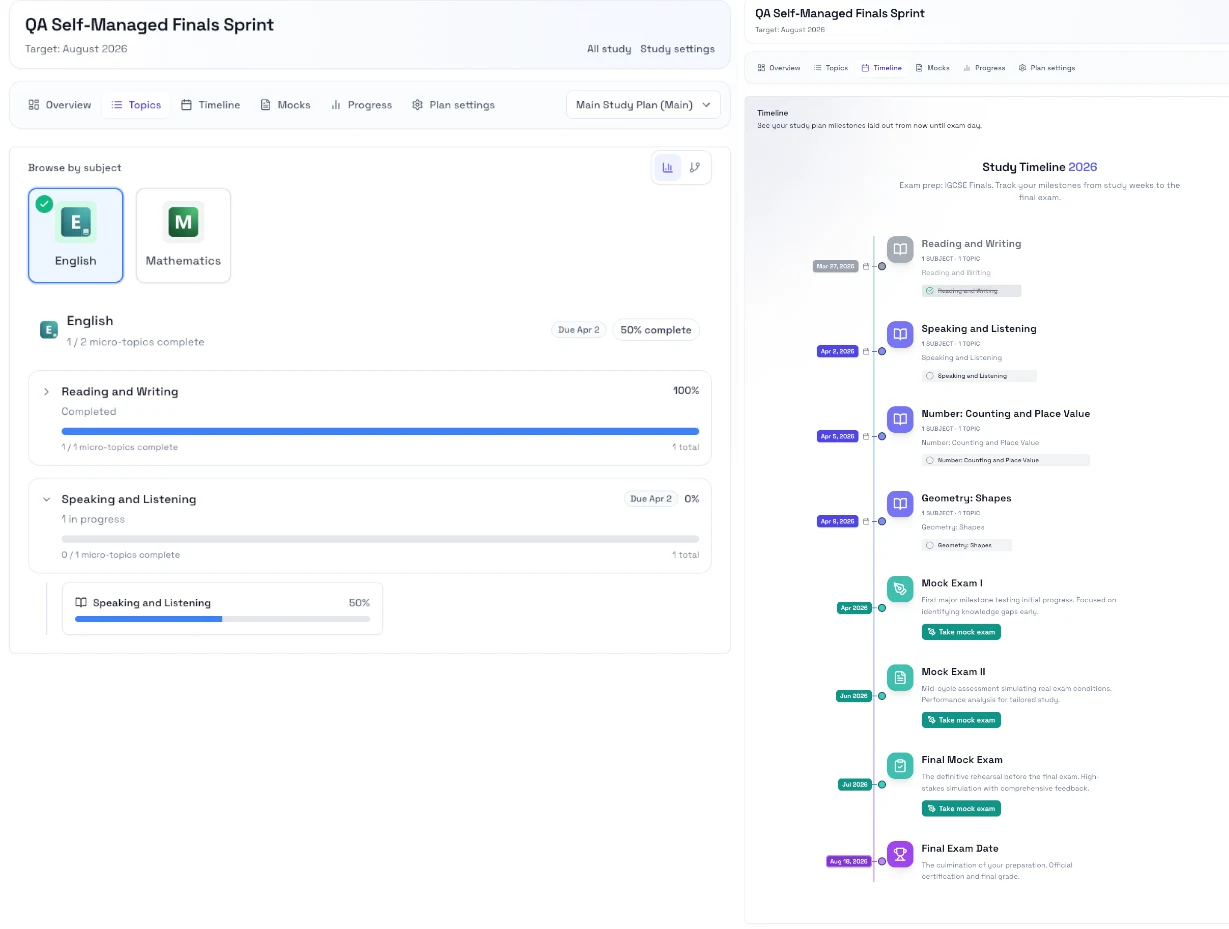
When to use each tab
- Use Topics when you want to pick the next lesson or practice task.
- Use Timeline when you want to see how your work is spread toward the exam date.
- Use the topic pages when you want to start the actual lesson or practice session.
Steps
- Open your study and go to Topics.
- Follow the suggested order, or open a specific topic if you need to focus on one area.
- Open the topic page and start the recommended work.
- Return to Topics when you are ready for the next item.
- Open Timeline when you want to check pacing or upcoming work.
Notes
- The active plan controls what you see in Topics and Timeline.
- If you create more than one plan, switch plans before you start so you are following the right schedule.
- Topic work is most useful when you keep moving toward the exam date instead of jumping around too often.
Next step
- Go to Mock exams and readiness.