Mock exams and readiness
Use Mocks when you want to test yourself under exam-style conditions. Your mock results also help Study refine what to focus on next.
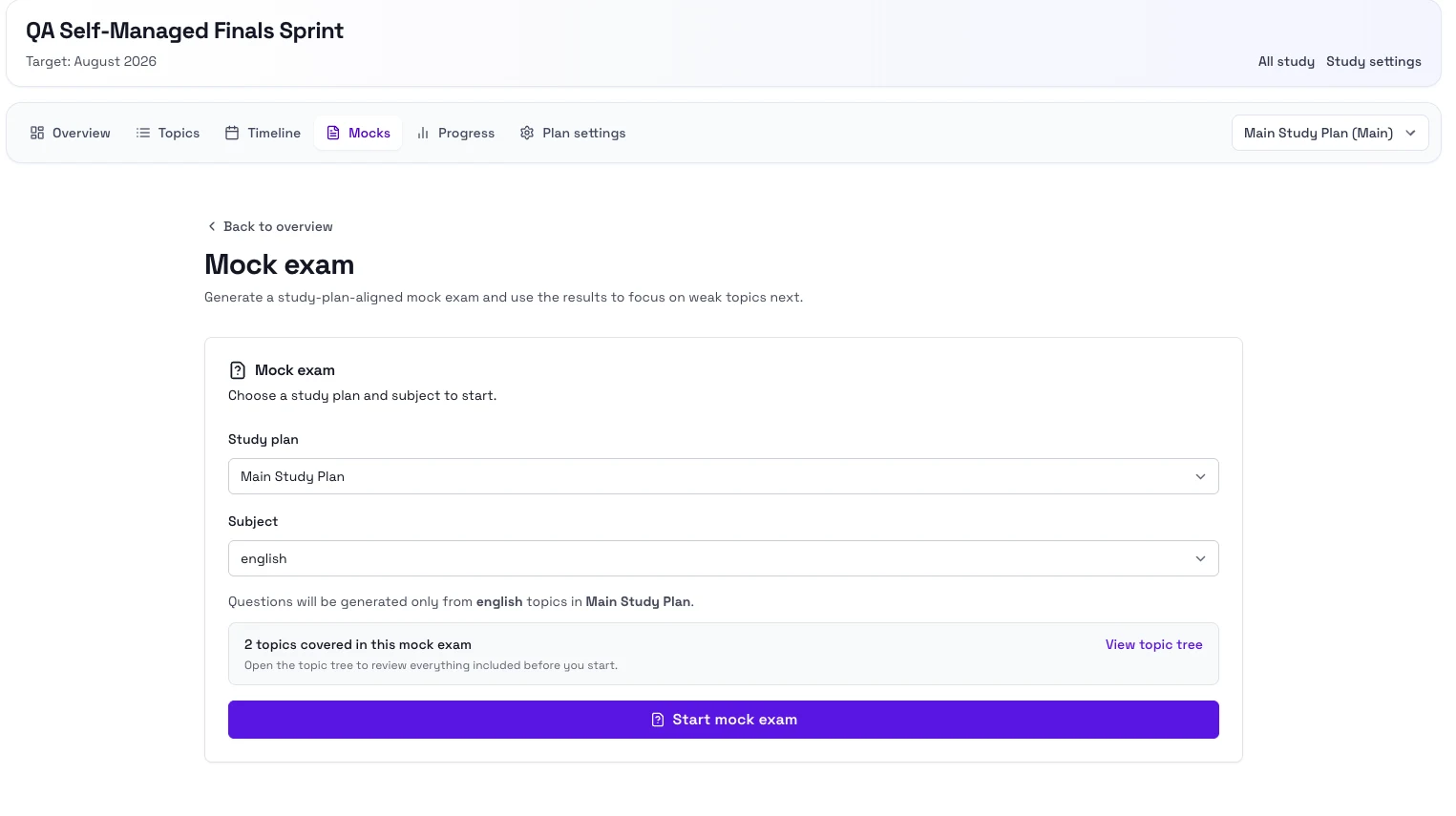
When to use mocks
- You want to check how ready you are right now.
- You want to find weak topics before the real exam.
- You want to compare your latest performance against earlier practice.
Steps
- Open your study and go to Mocks.
- Select the plan you want to use if you have more than one.
- Choose the subject when prompted.
- Start the mock exam.
- Submit the mock and review the result.
- Return to Overview to see how that result affects your next recommendation.
Notes
- You need a study plan before a mock can be created.
- Readiness is strongest after you have both regular study activity and mock results.
- A weak mock result is useful because it shows which topics need the most attention next.
Next step
- Go to Plans and settings if you need to adjust the plan after a mock.