Use your dashboard
The Study dashboard is the fastest way to see where you are, what to do next, and how close you are to your exam target.
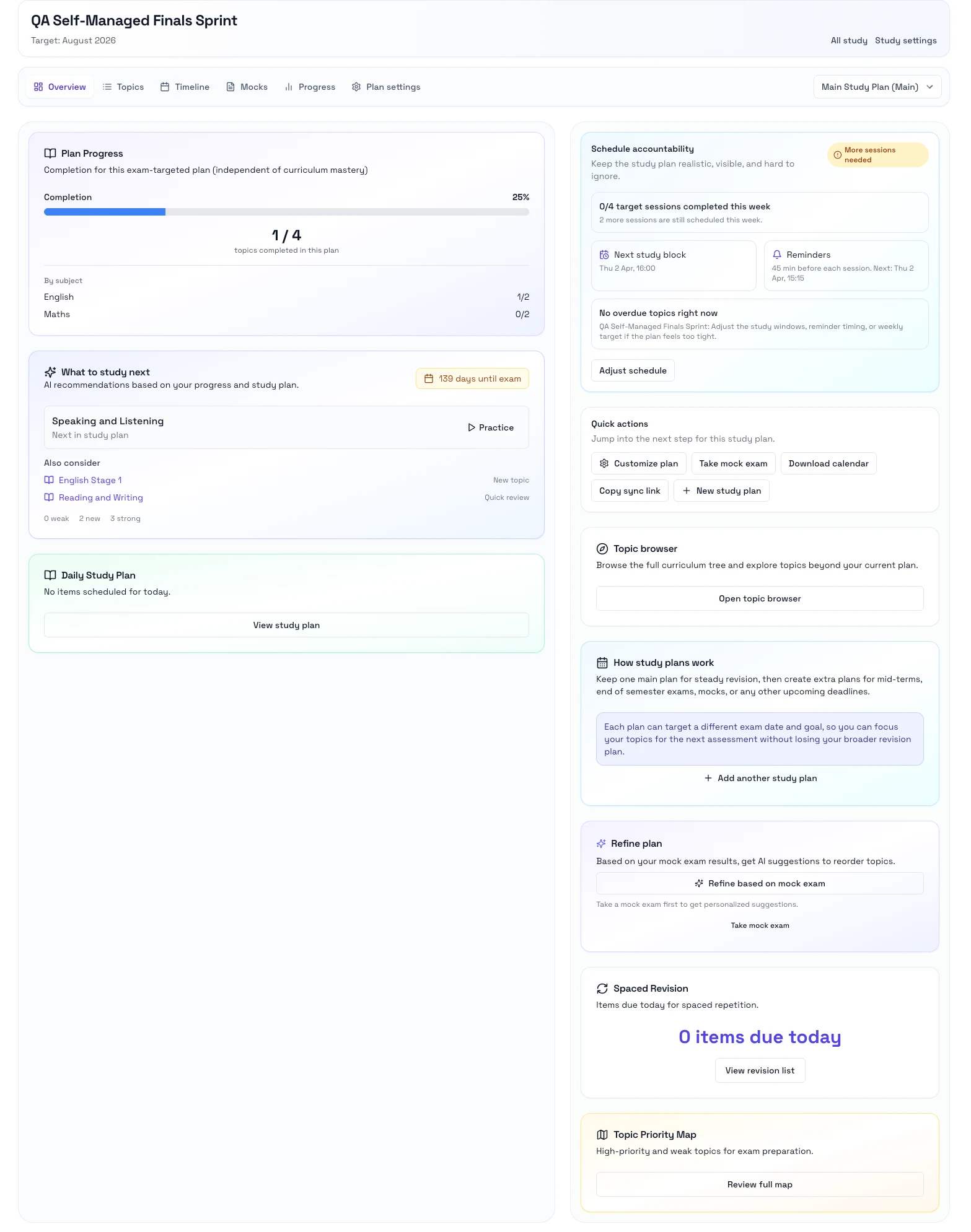
What the dashboard is for
- Check your current progress before you start.
- See Rori's recommended next action.
- Review what is due today for the selected plan.
- Open the right topic without searching through the full curriculum.
Steps
- Open Study and choose the study you want.
- Start on Overview.
- Review the progress cards and recommendation.
- If you use more than one plan, pick the right plan from the selector.
- Open the suggested next item or move to Topics when you want to choose manually.
- Open Progress when you want a fuller breakdown.
Notes
- Overview is the best place to resume after a break.
- Recommendations get better as you complete more study sessions and mock exams.
- If you do not have enough activity yet, the suggestion can stay broad until more data builds up.
Next step
- Go to Follow topics and timeline.