Announcements and notifications
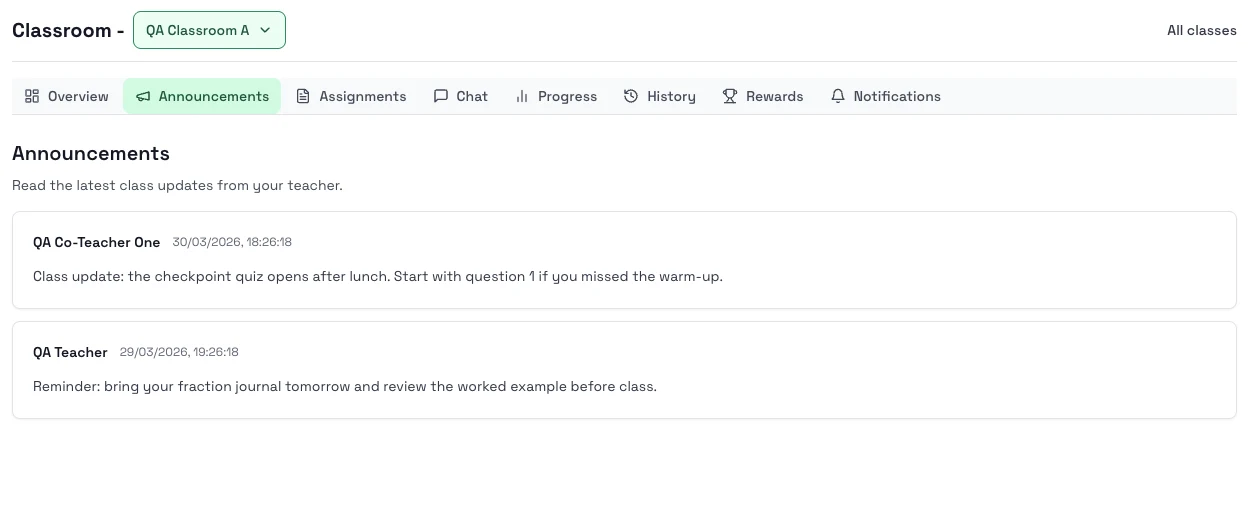
Use Announcements to read what your teacher posted for the whole class, and use Notifications to keep up with assignment changes and other class activity.
When to use each tab
- Use Announcements for class-wide teacher updates.
- Use Notifications for your own recent class activity.
Steps
- Open your class.
- Go to Announcements to read the latest teacher updates.
- Open Notifications to check assignment changes or other recent activity.
- Return to Overview or Assignments when you are ready to act on the update.
Notes
- Announcements are shared with the whole class.
- Notifications can help you catch up after time away.
- Some classes may have more updates than others depending on how your teacher uses the tools.
Next step
- Go to Chat with your teacher if you need to ask about class work.