Chat with your teacher
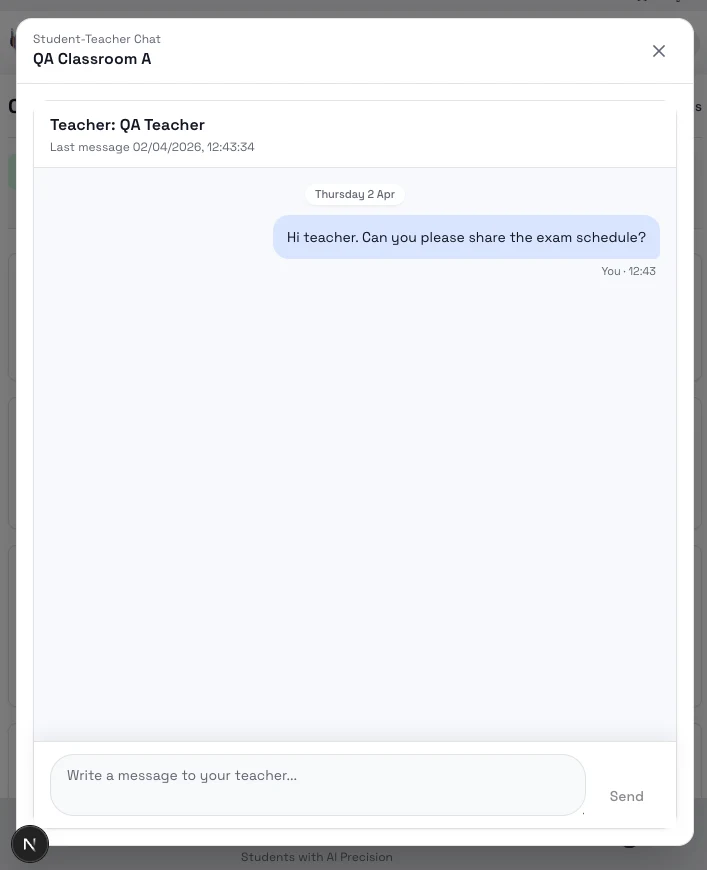
Use Chat when you need to ask your teacher about this class, follow up on class work, or continue an existing conversation.
Good reasons to use chat
- You need help understanding a class task.
- You want to ask about a due date or class expectation.
- You want to continue a conversation your teacher already started.
Steps
- Open the class and go to Chat.
- Open the teacher thread.
- Write your message.
- Send it and return later to check the reply.
Notes
- Chat is class-specific.
- Messages stay tied to the class so you can return to them later.
- If there is no conversation yet, you can start one from the empty state.
Next step
- Go to Progress and leaderboard to see how you are doing in the class.