Assignments
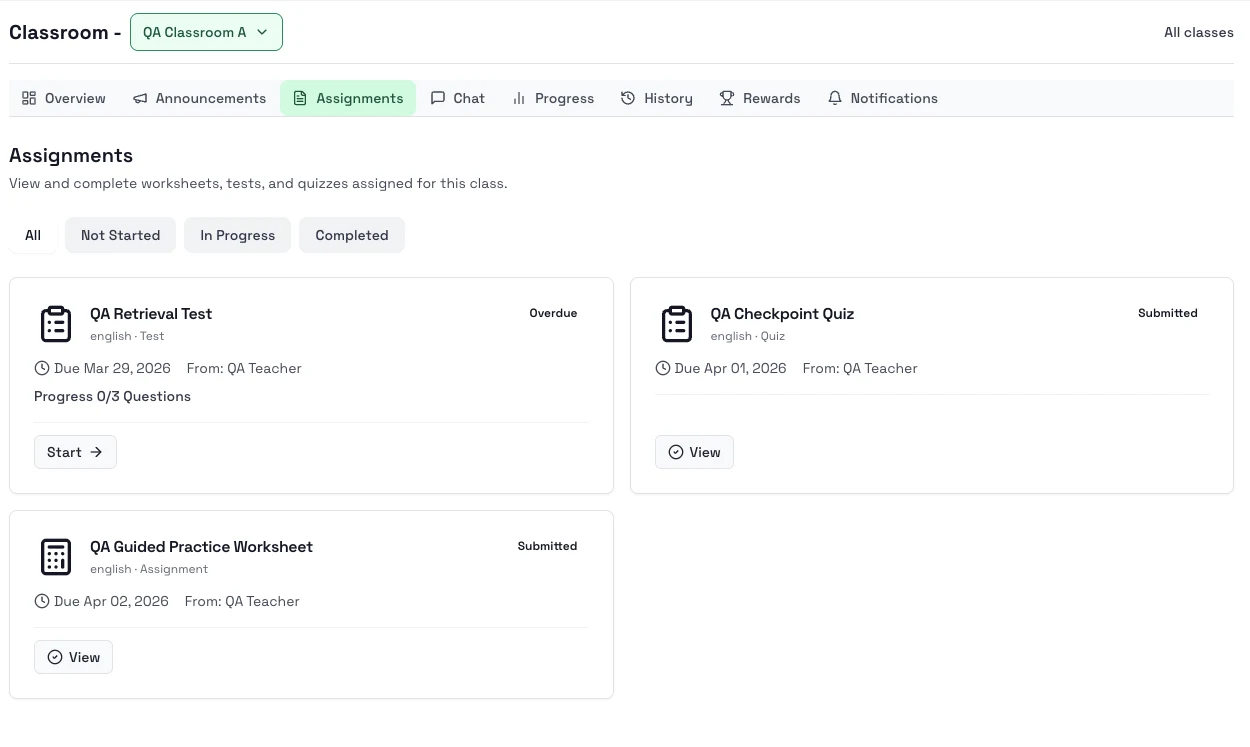
The Assignments tab is where you open class work from your teacher, check due dates, and continue anything you started earlier.
What you can do here
- See all class assignments in one place.
- Filter by All, Not Started, In Progress, or Completed.
- Open work with Start, Continue, or View.
Steps
- Open the class and go to Assignments.
- Filter the list if you want to focus on a specific status.
- Open the next task with Start or Continue.
- Check the due date and assignment type before you begin.
- Return to Assignments to pick the next task or review scored work.
Notes
- Due dates come from your teacher.
- Work you already started can appear as In Progress.
- Once a teacher grades the work, you can reopen it to see the result.
Next step
- Go to Announcements and notifications so you do not miss class updates.