Join and open a class
Use Classes when a real teacher is managing the work. Your teacher can invite you directly or give you a class code to request access.
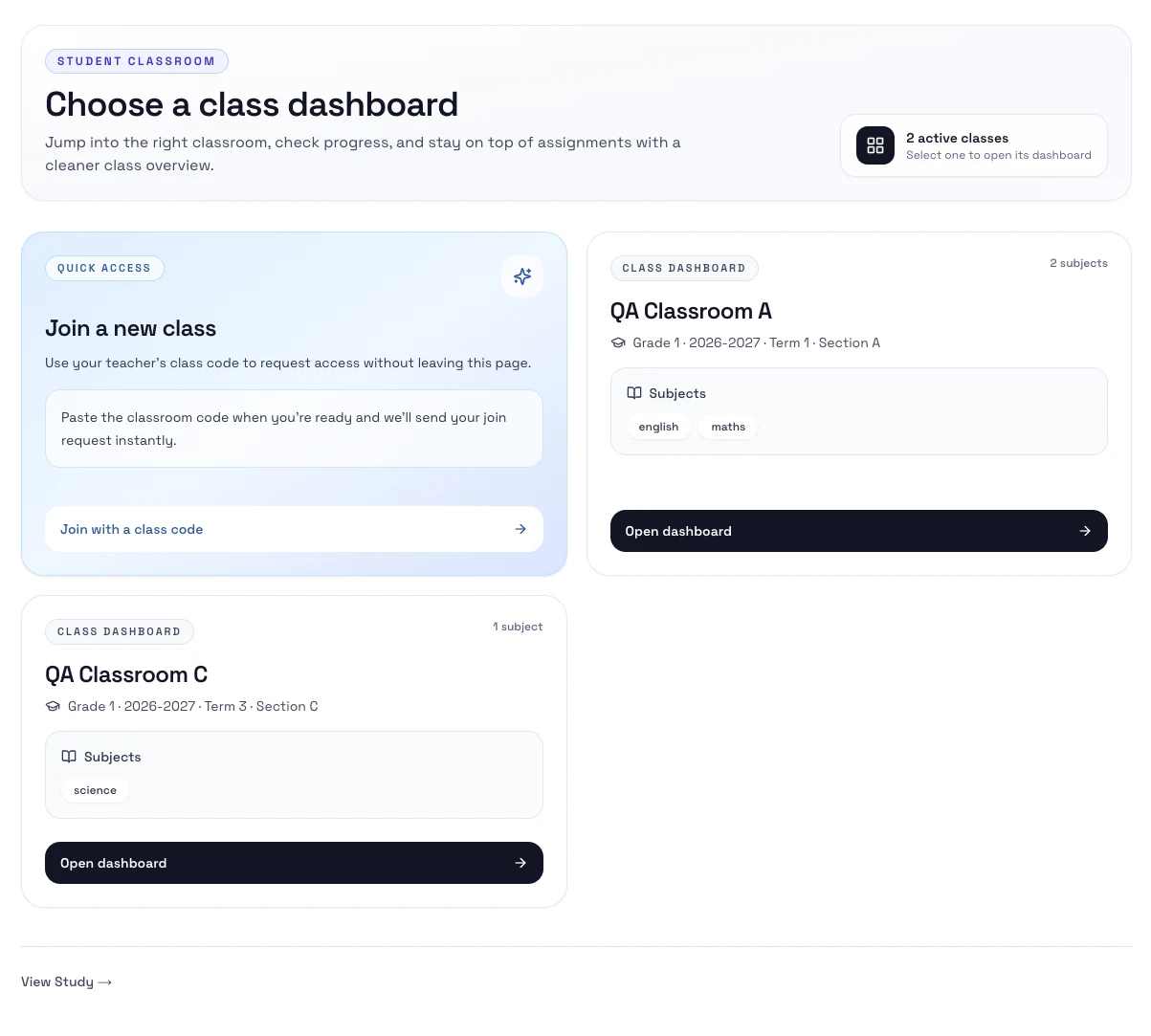
Ways to join
- Accept a class invitation from your teacher.
- Enter a class code and send a join request.
Steps
- Open Classes.
- Accept an invitation if one is waiting for you, or use Join with a class code.
- If your teacher uses approval, wait for them to accept the request.
- Open the class dashboard from the list.
- Start on Overview for that class.
Notes
- If you are only in one class, Classes can open that class dashboard for you automatically.
- If you are in more than one class, choose the dashboard you want from the class list.
- Your teacher controls the class setup, roster, and assignments.
Next step
- Go to Assignments.