Grading and performance
After students submit work, the grading flow helps you review submissions, use AI support where available, and check assignment-level performance.
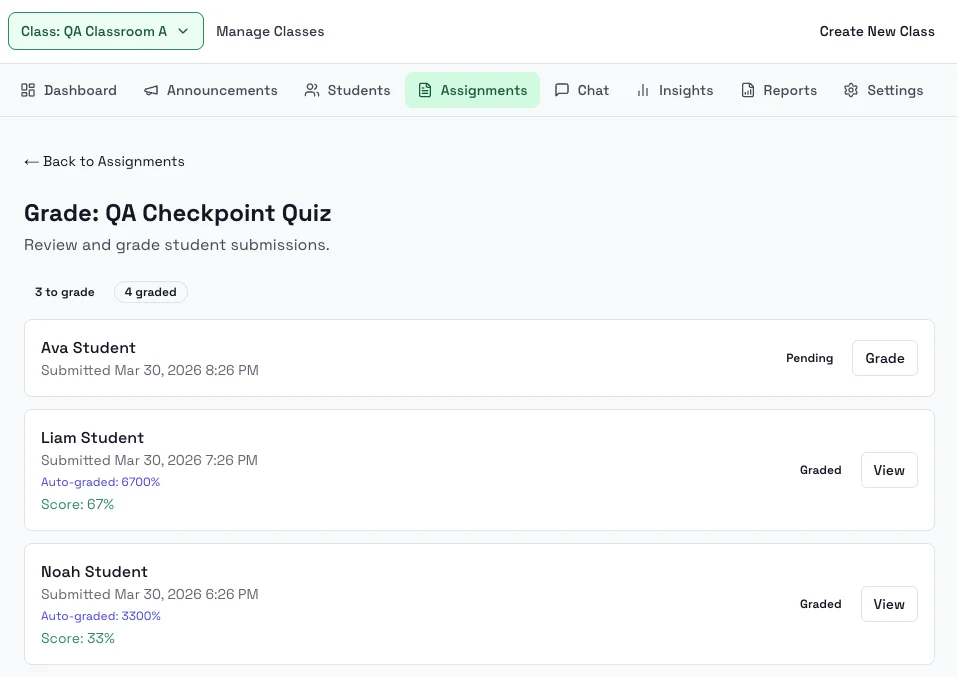
Steps
- Open a class assignment and go to Grade.
- Review pending submissions.
- Open a student submission to inspect answers and save the final grade.
- Return to the assignment to monitor how much of the class has been graded.
- Open the analytics view for assignment-level performance details.
Notes
- The grading area can surface AI scoring support and review signals on individual submissions.
- Assignment analytics are separate from the broader class insights page.