Reports and analytics
Use reports when you want a parent-facing summary or teacher note for selected students, and use class insights when you need broader classroom performance trends.
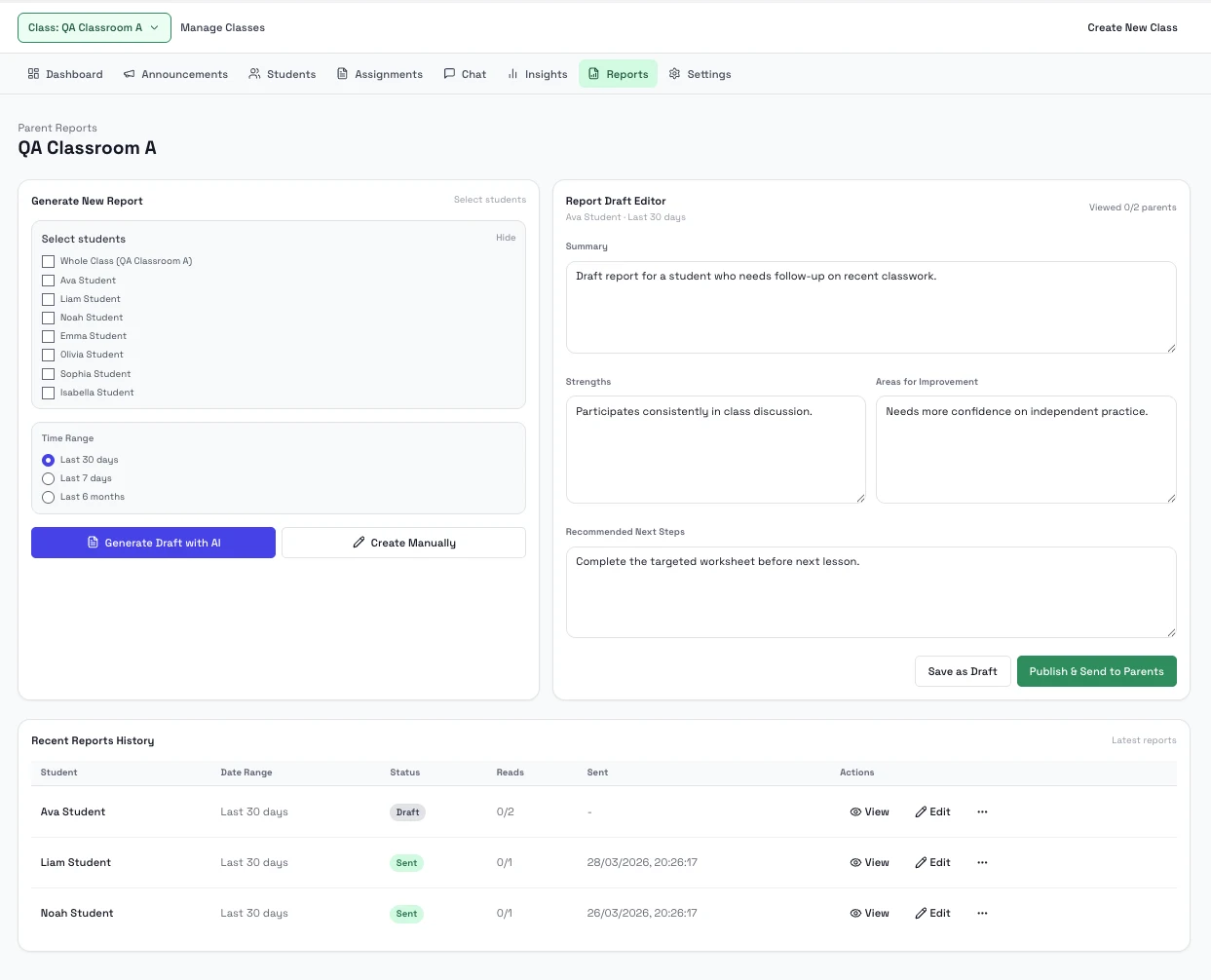
Steps
- Open Reports to create or generate a draft report.
- Select one or more students and a date range.
- Generate a draft with AI or create a manual draft.
- Edit the summary, strengths, gaps, and next steps so the message is ready for families.
- Publish the report when you want it sent to linked parents.
- Open Insights for class-wide analytics, exports, and risk signals.
Notes
- Reports are the current lightweight parent-communication layer for weekly summary, teacher note, and progress-update style messaging.
- Announcements are better for whole-class updates that all students should see.
- Insights focus on class-level score, completion, risk, and coverage trends.