Multiplications
Multiplications generates grade-based practice sets so learners can focus on a specific multiplication skill.
How to find it in the app
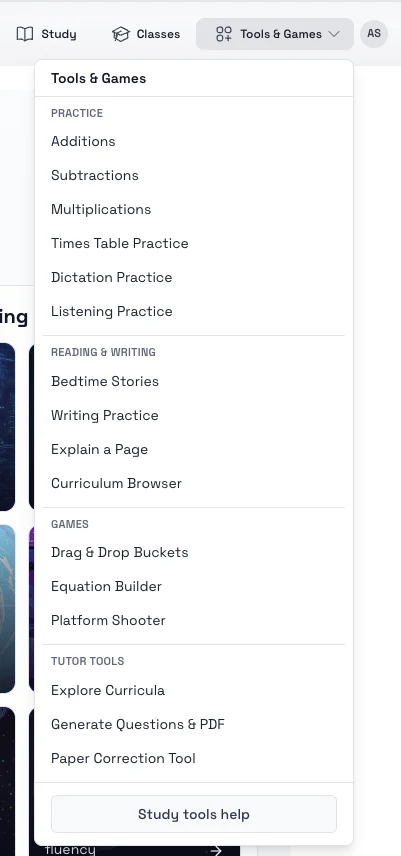
- Top header: Tools & Games -> Practice -> Multiplications
- Student home page: open the tools area and choose Multiplications
Steps
- Open Multiplications.
- Choose the grade or multiplication category you want to practice.
- Pick the number of questions in the set.
- Start the session and answer the prompts.
- Resume unfinished practice later from saved sessions.
Tips
- Repeat one category several times before moving to a harder one.
- Use shorter sessions when introducing a new multiplication pattern.