Paper Marking
Paper Marking helps you upload paper images, process them, and review AI-generated grading results.
How to find it in the app
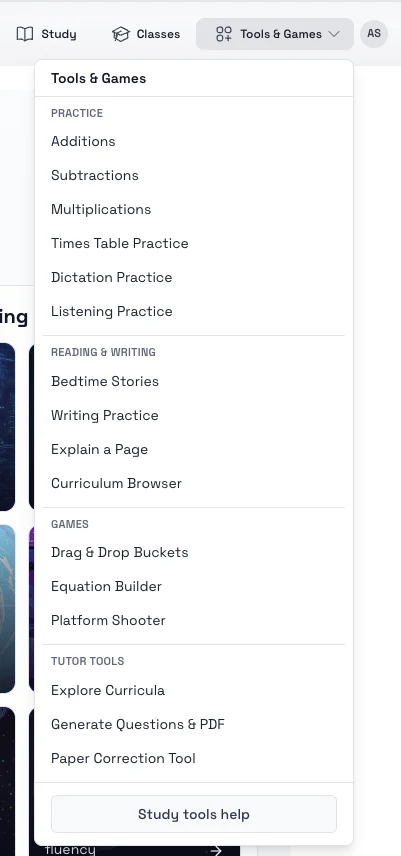
- Top header: Tools & Games -> Tutor Tools -> Paper Correction Tool
- Student home page: open the tools area and choose Paper Marking
Steps
- Open Paper Marking.
- Start a new paper session and give it a clear title.
- Upload the paper images in the correct order.
- Continue to the processing step and wait for the grading results.
- Open the completed session to review correct answers, mistakes, and follow-up learning tools.
Tips
- Use sharp, well-lit images with the full page visible.
- Double-check page order before processing.
- Review the explanations for wrong answers, not only the score.